· 12 min read
How to Fix PostgreSQL Connection Pool Exhaustion
Learn how to fix PostgreSQL connection pool exhaustion with practical SQL diagnostics, connection pool tuning, Node.js examples, and PgBouncer configuration.
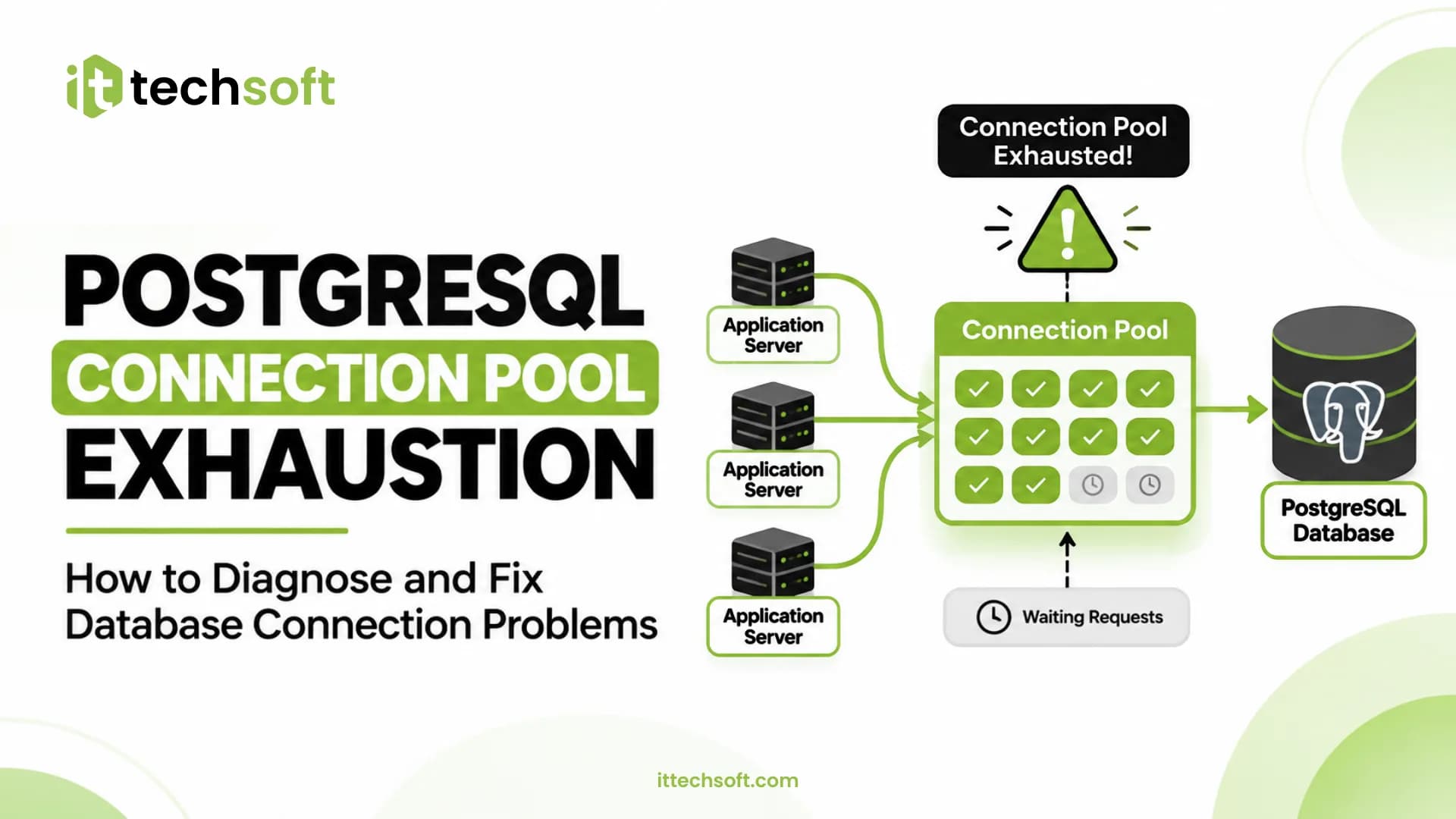
How to Fix PostgreSQL Connection Pool Exhaustion: A Practical Troubleshooting Guide
PostgreSQL is a powerful relational database used by modern web applications, SaaS platforms, APIs, and enterprise systems. However, as application traffic grows, database connection management can become a serious performance bottleneck.
One common issue developers encounter is PostgreSQL connection pool exhaustion.
It happens when an application runs out of available database connections. New requests cannot acquire a connection, causing queries to wait, API requests to slow down, and sometimes applications to return timeout errors.
Simply increasing the number of database connections is not always the right solution. In many cases, the real problem is inefficient connection management, long-running queries, idle transactions, or an incorrectly configured connection pool.
In this guide, we will explain how to identify the root cause and fix PostgreSQL connection pool exhaustion using practical troubleshooting techniques.
1. What Is PostgreSQL Connection Pool Exhaustion?
A PostgreSQL connection pool maintains a reusable collection of database connections.
Instead of creating a new database connection for every request, an application borrows an available connection from the pool, executes its database operations, and returns the connection when finished.
Connection pool exhaustion occurs when all available connections are busy or unavailable, and new requests cannot obtain a connection.
For example, imagine your application has a connection pool configured with a maximum of 20 connections.
- 20 requests acquire database connections.
- All 20 connections remain occupied.
- Another 15 requests arrive.
- These requests must wait until a connection becomes available.
- If the waiting time exceeds the configured timeout, requests fail.
This can produce errors such as:
Error: timeout exceeded when trying to connect

FATAL: sorry, too many clients already

Connection acquisition timeout

remaining connection slots are reserved
for non-replication superuser connections
The exact error depends on whether the limit is reached in the application pool or on the PostgreSQL server itself.
2. Common Causes of Connection Pool Exhaustion
Before changing configuration, identify what is consuming your connections.
A. Connection Leaks
A connection leak occurs when an application acquires a connection but fails to release it.
For example, if an application encounters an error before releasing a connection, that connection may remain occupied.
This is particularly common when database operations do not use proper cleanup logic.
B. Long-Running Queries
Slow SQL queries can hold connections longer than necessary.
If multiple requests execute expensive queries simultaneously, the connection pool can become fully occupied.
Common causes include:
- Missing database indexes.
- Inefficient JOIN operations.
- Large table scans.
- Poorly optimized queries.
- Excessive data retrieval.
C. Idle Transactions
An open transaction that is not executing a query can still hold a connection.
These sessions may appear as idle in transaction in PostgreSQL.
They can also hold locks and interfere with database maintenance.
D. Too Many Application Instances
Consider an application running across multiple servers or containers.
If each instance creates its own connection pool, the total number of database connections can grow quickly.
For example:
Application InstancesPool Size Per InstanceMaximum Connections2204052010010202001520300
A pool size that works for one server may overwhelm PostgreSQL after horizontal scaling.
E. Incorrect Pool Configuration
An excessively large pool can consume unnecessary database resources, while an undersized pool can create excessive request waiting.
The goal is to balance application concurrency with the database's available resources.
3. Step 1: Check Active PostgreSQL Connections
Start by checking how many connections are currently being used.
Run this SQL query:
SELECT
    count(*) AS total_connections,
    count(*) FILTER (
        WHERE state = 'active'
    ) AS active_connections,
    count(*) FILTER (
        WHERE state = 'idle'
    ) AS idle_connections,
    count(*) FILTER (
        WHERE state = 'idle in transaction'
    ) AS idle_in_transaction
FROM pg_stat_activity;
This query provides an overview of PostgreSQL connection activity.
Next, check the configured connection limit:
SHOW max_connections;
You can also calculate connection usage as a percentage:
SELECT
    count(*) AS current_connections,
    current_setting('max_connections')::int AS max_connections,
    round(
        100.0 * count(*) /
        current_setting('max_connections')::int,
        2
    ) AS connection_usage_percent
FROM pg_stat_activity;
What Should You Look For?
- High active connections may indicate heavy database workload.
- High idle connections may indicate oversized pools or many application instances.
- High idle-in-transaction connections may indicate transaction cleanup problems.
- Connection usage consistently approaching the limit suggests insufficient connection capacity or inefficient connection management.
Remember that connection count alone does not prove a bottleneck. Investigate query duration, wait events, and application pool metrics as well.
4. Step 2: Identify Long-Running and Idle Transactions
Use the following query to identify sessions that may be holding connections unnecessarily:
SELECT
    pid,
    usename,
    application_name,
    state,
    now() - xact_start AS transaction_duration,
    now() - query_start AS query_duration,
    wait_event_type,
    wait_event,
    LEFT(query, 150) AS query
FROM pg_stat_activity
WHERE
    pid <> pg_backend_pid()
    AND (
        state = 'idle in transaction'
        OR (
            state = 'active'
            AND query_start < now() - interval '30 seconds'
        )
    )
ORDER BY xact_start NULLS LAST;
This helps identify:
- Transactions that have remained open for too long.
- Queries that have been running longer than expected.
- Sessions waiting on locks or other database resources.
The 30-second threshold is an example, not a universal performance limit. Adjust it based on your application's workload.
If you discover long-running queries, inspect their execution plans using:
EXPLAIN (ANALYZE, BUFFERS)
SELECT *
FROM orders
WHERE customer_id = 1001;
Use EXPLAIN ANALYZE carefully because it actually executes the query. For production write queries, use a safe test environment or an appropriate read-only diagnostic approach.
You can learn more from the official PostgreSQL documentation:
https://www.postgresql.org/docs/current/monitoring-stats.html
5. Step 3: Configure the Application Connection Pool
One of the most effective solutions is configuring a reasonable connection pool size.
Let's consider a Node.js application using the pg package.
Example: Incorrect Connection Management
const { Client } = require("pg");

async function getUsers() {
    const client = new Client({
        connectionString: process.env.DATABASE_URL
    });

    await client.connect();

    const result = await client.query(
        "SELECT * FROM users"
    );

    return result.rows;
}
This example creates a new client every time the function runs and does not close it.
Repeated calls can create unnecessary connections.
Better Approach: Use a Shared Connection Pool
const { Pool } = require("pg");

const pool = new Pool({
    connectionString: process.env.DATABASE_URL,
    max: 10,
    idleTimeoutMillis: 30000,
    connectionTimeoutMillis: 5000
});

async function getUsers() {
    const result = await pool.query(
        "SELECT * FROM users"
    );

    return result.rows;
}

module.exports = pool;
This approach reuses connections instead of creating a new connection for every request.
The important configuration options are:
OptionPurposemaxMaximum connections in the application poolidleTimeoutMillisTime before an idle connection can be closedconnectionTimeoutMillisMaximum time to wait for a new connection
These values are starting examples, not universal production settings.
Always Release Manually Acquired Connections
When using pool.connect(), release the connection in a finally block.
const pool = require("./db");

async function transferData() {
    const client = await pool.connect();

    try {
        await client.query("BEGIN");

        // Perform database operations here

        await client.query("COMMIT");

    } catch (error) {
        await client.query("ROLLBACK");
        throw error;

    } finally {
        client.release();
    }
}
This ensures the connection is returned to the pool even when an operation fails.
Also handle rollback errors carefully in production so that a failed rollback does not hide the original error.
Important: Do not call pool.end() after every request. It shuts down the pool rather than returning a connection to it. Close the pool during application shutdown instead.
6. Step 4: Optimize PostgreSQL Queries
Connection pooling cannot solve every performance issue.
If database queries take too long, connections remain occupied for longer periods.
Consider the following example:
SELECT *
FROM orders
WHERE customer_id = 1001;
If the customer_id column is frequently used for filtering and lacks a suitable index, PostgreSQL may need to scan a large portion of the table.
You can investigate whether an index is appropriate:
CREATE INDEX idx_orders_customer_id
ON orders(customer_id);
Before creating an index, inspect existing indexes and query execution plans. Additional indexes consume storage and can slow down writes.
Other optimization techniques include:
- Avoid selecting unnecessary columns.
- Add appropriate indexes.
- Reduce unnecessary JOIN operations.
- Use pagination for large result sets.
- Avoid executing repeated queries inside loops.
- Use bulk inserts instead of individual insert operations when appropriate.
The objective is to reduce the time each request holds a database connection.
7. Step 5: Use PgBouncer for Connection Pooling
When multiple application instances connect to PostgreSQL, managing connections directly can become difficult.
This is where PgBouncer can help.
PgBouncer is a lightweight connection pooler that sits between your application and PostgreSQL.
Instead of allowing every application request to establish a separate PostgreSQL server connection, PgBouncer can reuse a smaller number of server-side connections.
PgBouncer Pooling Modes
ModeHow It WorksSessionServer connection remains assigned for the client sessionTransactionServer connection is returned after each transactionStatementServer connection is returned after each statement
Transaction pooling is often useful for applications with many short transactions.
However, it changes connection semantics. Session-dependent features such as session-level state and some temporary-table workflows may not work as expected.
Review application compatibility before enabling it.
Example PgBouncer Configuration
[databases]
myapp = host=127.0.0.1 port=5432 dbname=myapp

[pgbouncer]

listen_addr = 127.0.0.1
listen_port = 6432

pool_mode = transaction

max_client_conn = 200

default_pool_size = 20

reserve_pool_size = 5

server_idle_timeout = 600
This is an illustrative starting configuration. Actual pool limits should be calculated based on database capacity, application concurrency, and the number of database/user pools.
After configuration, connect your application to PgBouncer rather than directly to PostgreSQL.
For example:
DATABASE_URL=postgresql://app_user:[email protected]:6432/myapp
Keep credentials in protected environment variables and never commit real passwords to source control.
Official documentation:
https://www.pgbouncer.org/config.html
https://www.pgbouncer.org/usage.html
8. Step 6: Review PostgreSQL max_connections
PostgreSQL uses the max_connections parameter to control the maximum number of concurrent connections.
Check the current value:
SHOW max_connections;
You can change it in postgresql.conf:
max_connections = 200
After changing this setting, PostgreSQL must be restarted for the new value to take effect.
However, increasing max_connections should not be your first solution.
Why?
- PostgreSQL allocates certain resources based on the configured connection limit.
- More connections can increase memory consumption.
- Excessive concurrency can increase CPU and lock contention.
- A larger limit does not fix connection leaks or inefficient queries.
Before increasing the limit, calculate your connection budget.
For example:
ComponentConnection BudgetApplication instance 110Application instance 210Application instance 310Background workers10Monitoring and administration10Total planned50
Leave additional capacity for maintenance, migrations, monitoring, and unexpected workloads.
Official documentation:
https://www.postgresql.org/docs/current/runtime-config-connection.html
9. Step 7: Add Connection Timeouts and Monitoring
A production application should not wait indefinitely for a database connection.
Configure reasonable timeouts at different layers:
- Connection acquisition timeout.
- Database connection timeout.
- Query execution timeout.
- Idle transaction timeout.
- Application request timeout.
For example, PostgreSQL supports:
SET statement_timeout = '30s';
This limits how long statements can execute within that session. Choose a timeout appropriate to the workload, and remember that session-level settings do not automatically configure every other connection.
For idle transactions, PostgreSQL also provides:
SET idle_in_transaction_session_timeout = '60s';
Use this carefully because it can terminate application transactions that remain idle for longer than the configured period.
Monitor These Metrics
MetricWhat It Tells YouActive connectionsCurrent database workloadIdle connectionsAvailable or unused sessionsIdle in transactionPotential transaction management problemsPool wait timeHow long requests wait for a connectionQuery durationHow long database operations takeConnection acquisition failuresWhether the pool is becoming exhausted
Monitoring these metrics helps you identify problems before they cause application downtime.
10. Step 8: Test the Fix Under Realistic Traffic
After making configuration changes, test the application under realistic concurrent workloads.
A practical testing process:
- Record the current connection count.
- Run concurrent application requests.
- Monitor pool usage and connection wait time.
- Check PostgreSQL active and idle sessions.
- Inspect slow queries and transaction duration.
- Confirm connections are returned to the pool.
- Repeat the test after optimization.
Do not judge success only by whether the connection error disappears.
A proper fix should also improve request latency, reduce unnecessary database connections, and maintain stable performance under expected traffic.
11. Common Mistakes to Avoid
Many developers attempt to fix connection exhaustion by changing one configuration value. This can hide the underlying issue rather than resolve it.
Avoid these mistakes:
MistakeBetter ApproachIncreasing max_connections immediatelyDiagnose connection usage firstCreating a new connection per requestReuse a shared connection poolForgetting to release connectionsUse finally cleanupIgnoring long-running queriesInspect and optimize execution plansAllowing transactions to remain openCommit or roll back promptlySetting huge pool sizesCalculate a safe connection budgetIgnoring multiple application instancesAccount for total connections across all instancesSkipping load testingValidate behavior under realistic traffic
12. Production Troubleshooting Checklist
Before considering the issue resolved, verify these items:
- Database connection usage has been inspected.
- Long-running queries have been identified.
- Idle transactions have been investigated.
- Connection leaks have been fixed.
- Application pool sizes are configured appropriately.
- Database queries have been optimized.
- PostgreSQL connection limits have been reviewed.
- PgBouncer has been considered where appropriate.
- Connection and query timeouts are configured.
- Monitoring and load testing have been completed.
Conclusion: Keep PostgreSQL Connections Under Control
PostgreSQL connection pool exhaustion is not always a database capacity problem. It can also be caused by application connection leaks, slow queries, idle transactions, or poor connection pool configuration.
The best solution is to identify the actual bottleneck before changing database limits.
Start by monitoring pg_stat_activity, fix connection management issues, optimize slow queries, configure appropriate pool sizes, and consider PgBouncer when your application requires more efficient connection sharing.
A properly configured PostgreSQL environment helps applications remain reliable, responsive, and ready for growth.
At ItTechSoft, we help businesses optimize production infrastructure, troubleshoot database performance issues, and build reliable environments for modern applications.
Deploy. Secure. Scale.
Learn more about our production engineering services: https://ittechsoft.com/
Frequently Asked Questions (FAQ)
1. What causes PostgreSQL connection pool exhaustion?
Common causes include connection leaks, long-running queries, idle transactions, oversized application pools, and too many application instances connecting to the database.
2. How do I check PostgreSQL active connections?
Run:
SELECT count(*)
FROM pg_stat_activity;
For a more detailed breakdown, inspect the state column in pg_stat_activity.
3. How do I fix the PostgreSQL too many connections error?
Identify unnecessary connections, fix connection leaks, optimize slow queries, configure application pooling, and consider PgBouncer. Increase max_connections only when your database resources support it.
4. What is the recommended PostgreSQL connection pool size?
There is no universal recommended number. It depends on database capacity, query duration, workload concurrency, application instances, and the total connection budget.
5. Does PgBouncer solve connection pool exhaustion?
PgBouncer can reduce the number of server-side PostgreSQL connections by reusing connections across clients. However, it cannot fix slow queries, connection leaks inside application logic, or every application-level pool configuration problem.
6. What is the difference between idle and idle in transaction?
An idle connection is waiting for the client to send another command. An idle in transaction connection has an open transaction but is not currently executing a query. The latter can retain locks and interfere with database maintenance.
7. Should I increase max_connections in PostgreSQL?
Only after investigating current connection usage and database resources. Increasing it without fixing inefficient connection management can make performance worse.